Makeup with character
Request a believable special-effects finish, from a hint of haunted skin to a dramatic undead portrait. Each intensity is a different creative direction, so the finished details will vary.
Meet your undead alter ego. Turn a portrait into a cinematic Halloween photo with eerie makeup, textured skin and a look that is unmistakably yours.
2 credits / image · Seedream 5.0 Lite
Choose a look, then create your own transformation.
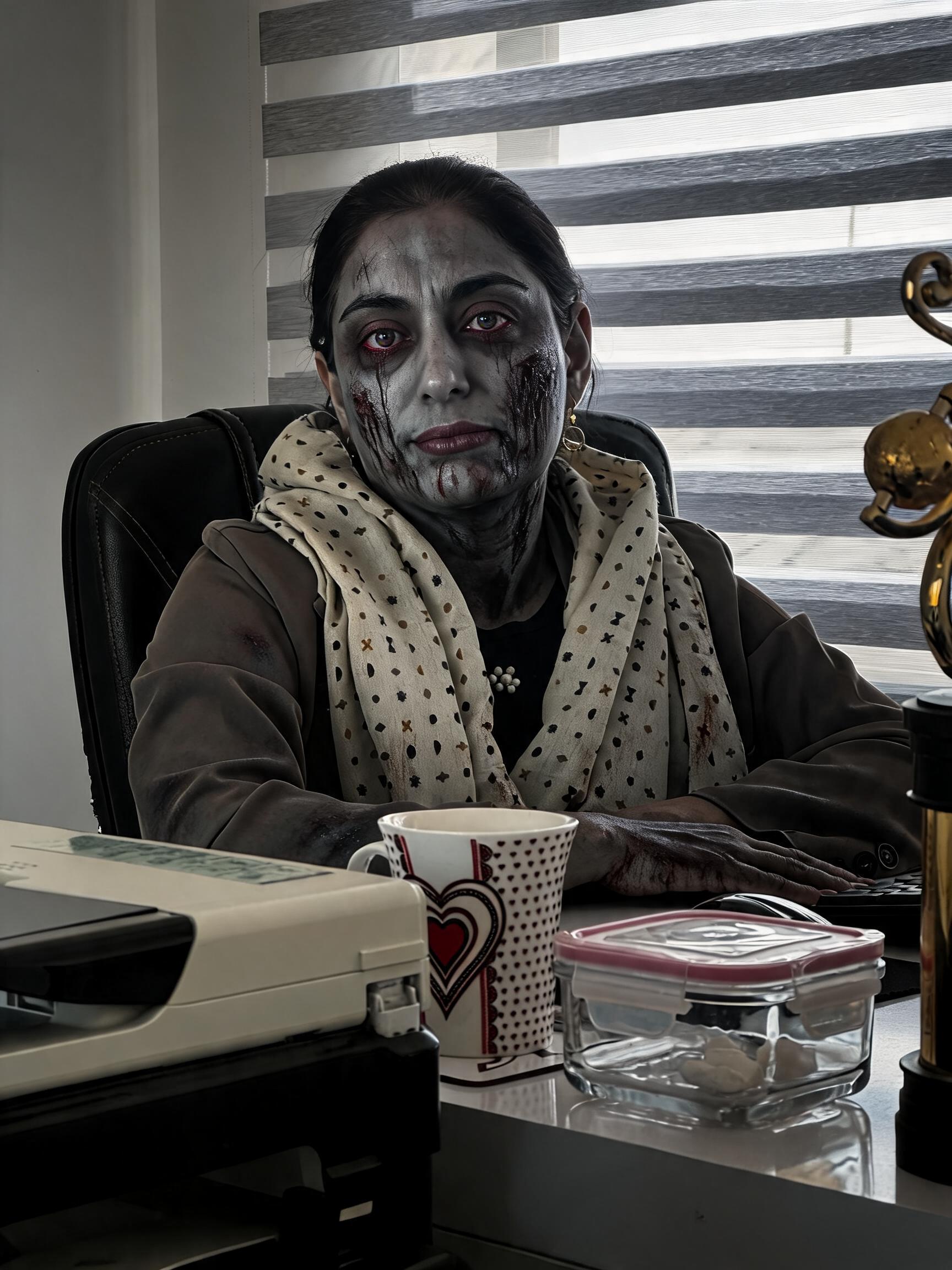
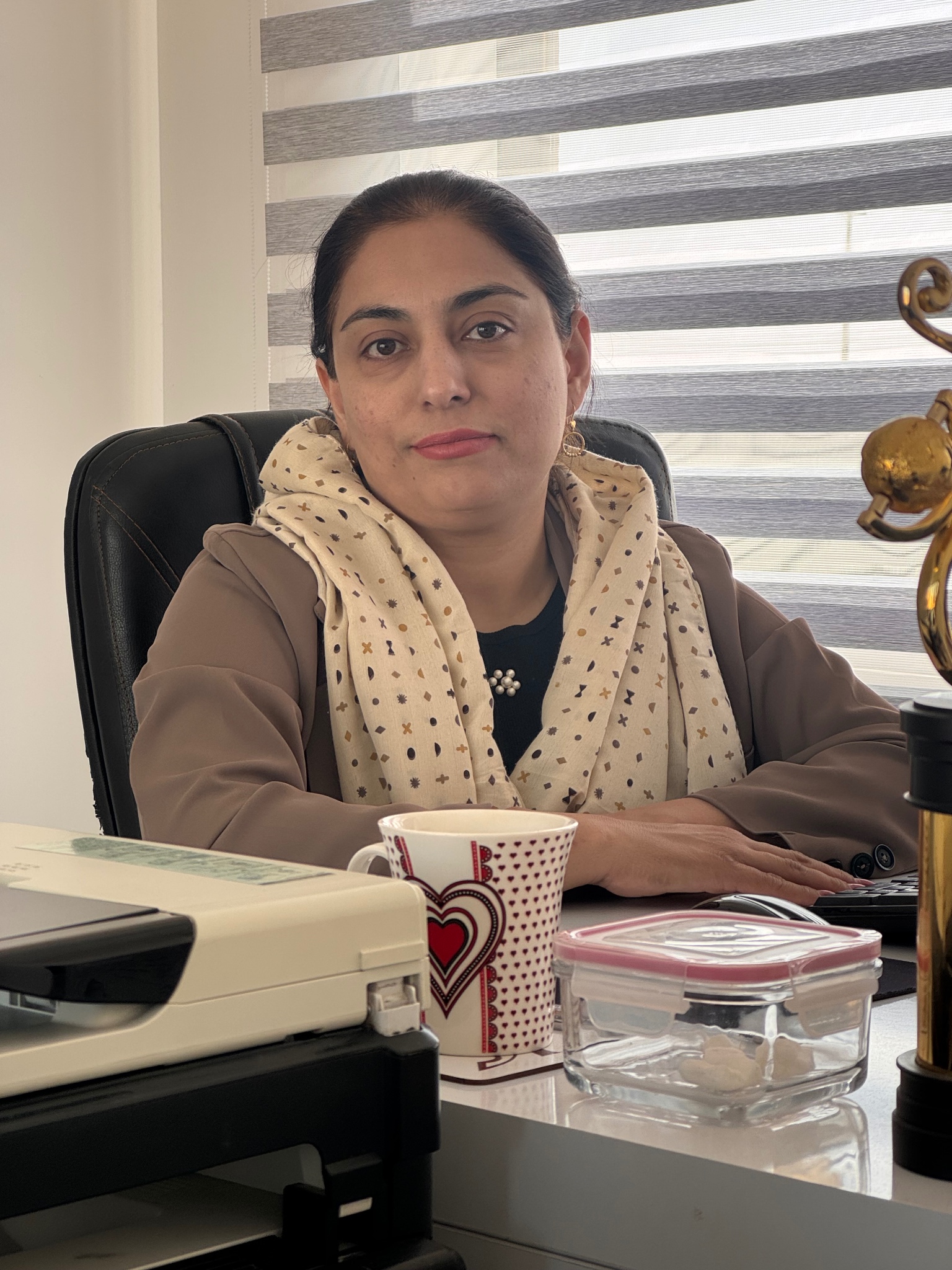
Illustrative examples. Your result will vary with the photo, look and intensity you choose.
Give your next profile picture an after-dark makeover. This template combines theatrical zombie makeup with cinematic lighting: cool skin tones, fine cracks, deep eye shadows and an eerie atmosphere. Upload your portrait and choose how far to take the look. The AI creates a new image from your photo, rather than placing a flat sticker over your face.
Request a believable special-effects finish, from a hint of haunted skin to a dramatic undead portrait. Each intensity is a different creative direction, so the finished details will vary.
Keep Preserve likeness enabled to ask for recognizable features under the makeup. Start with a portrait where the eyes, nose and mouth are easy to see.
Slide between the original photo and your finished result. Inspect the facial details, lighting and framing, then download the image as a PNG.
Create a seasonal avatar, party invitation portrait, social post or costume mood board. Add event text in your usual design editor after downloading.
A clear photo and a few choices are all you need. The style preset supplies the editing instructions for you.
Choose one well-lit person in a JPG or PNG photo. Avoid heavy filters, covered faces and crowded group shots. Select the file locally before signing in and reviewing the cost.
Keep Zombie selected for the classic transformation. Choose Subtle, Balanced or Dramatic, then preserve the original frame or select a new aspect ratio.
Confirm permission to use the photo and click Generate. We check your current credit balance before uploading or submitting. Review the completed image and download your PNG.
Keep the undead makeup or explore another Halloween character. Your selected look changes the generation instructions; the examples above illustrate possible directions rather than a live preview of your photo.
Cracked makeup, cool tones and an undead gaze.
Velvet shadows and a candlelit gothic portrait.
A moonlit costume with a little dark magic.
Graphic skull makeup with dramatic contrast.
Amber light and an autumn-inspired costume.
Silver mist and a softly haunted atmosphere.
It is a ready-to-use AI photo-editing preset that gives a portrait an undead Halloween look. Choose Zombie to request pale makeup, textured skin and deep eye shadows. LipSyncTool sends your photo and the selected style instructions to Seedream 5.0 Lite through APIMart, so you do not need to write a prompt.
Upload a JPG or PNG portrait, keep Zombie selected, choose an intensity and frame, then review the credit cost and generate. Once processing finishes, compare the result with the original and download the PNG.
You can explore the examples without paying. Generating your own image requires an account and 2 credits per image. Each new variation is another generation. If your balance is too low, your photo and settings can be saved in this browser tab while you visit Pricing. Returning from payment restores the inputs; it does not generate or charge automatically.
Preserve likeness asks the model to keep your facial structure and recognizable features beneath the makeup. A clear, evenly lit portrait and Subtle or Balanced intensity are useful starting points. AI can still change facial details; compare the finished image with your original before using it.
Upload one JPG or PNG under 10 MB, at least 300 pixels on each side and no more than 36 megapixels. The input aspect ratio must be between 1:3 and 3:1. Output uses the model’s 2K resolution tier. Choose Original to follow your photo’s ratio, or select square, 3:4 portrait or 9:16 vertical. Actual pixel dimensions depend on the frame.
Yes. Subtle, Balanced and Dramatic apply different style instructions, rather than a precisely measured makeup percentage. You can also choose Vampire, Witch, Skeleton, Pumpkin or Ghost. Adjusting a setting does not generate a new image until you click Generate again.
This tool creates a still image, with no motion or sound. For an animated zombie story from photos, use the separate AI Zombie Video Generator linked below.
Confirmed provider rejection or confirmed generation failure returns the reserved credits. An interrupted connection does not automatically submit another paid request. Your task ID is saved for status checks, and signed-in tasks are available in My Creations. If submission cannot be confirmed, contact support with the task ID before starting again.
Give your photos a new role with our other creative tools.
Choose a portrait. Find your character. Create something a little haunting.