THE AI ZOMBIE TRENDA familiar face.
An impossible goodbye.
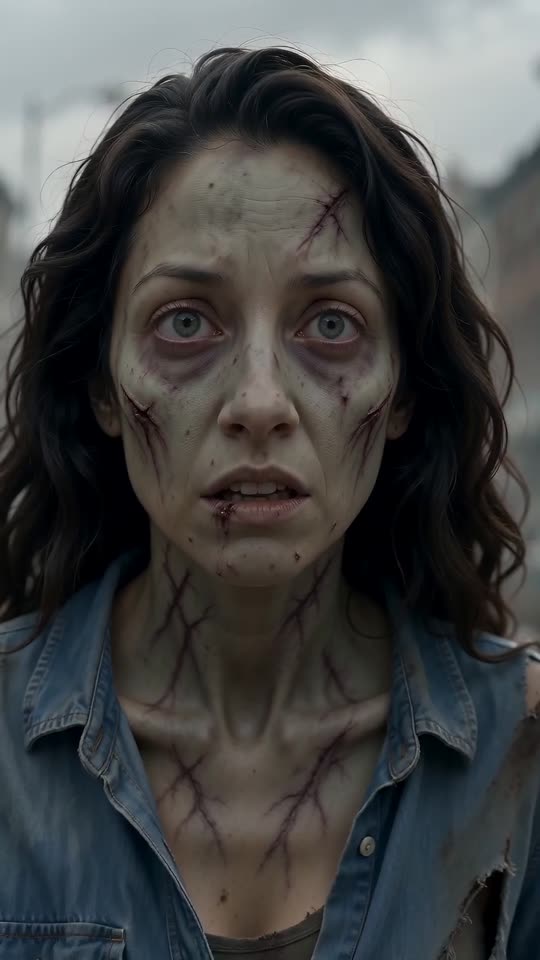
A ruined city, two people, and a moment of recognition. The survivor cannot bring themselves to shoot. The weapon falls, the zombie reaches out, and fear gives way to an embrace. Then the scene shifts to the two of them, alive and happy, in a sunlit wheat field.
Our first Zombie Story preset follows this reference-site storyline. Bring a partner, friend, grown-up family member or pet into the scene. Choose the roles, frame and length; the generator handles the directions.
 A FEW THINGS TO KNOW
Zombie video FAQ
What is the AI zombie video trend?
It is a short, emotional reunion: one loved one has become a zombie, but the survivor recognizes them and chooses an embrace. The Zombie Story preset follows that moment with a warm memory when you select 10 seconds or longer.
How do I choose who becomes the zombie?
With two separate photos, Photo 1 is the survivor and Photo 2 becomes the zombie. Use the swap button before generating to reverse the roles. With a shared photo, place the survivor on the left and the future zombie on the right.
Can I use one photo of both of us?
Yes. Choose “One photo of both” and upload a clear photo with both subjects visible. Two separate portraits can give you more control over role assignment. JPG and PNG photos under 10 MB are supported.
Does the template include sound?
Yes, sound is on by default. The preset requests original piano, strings and environmental effects, with no speech. Audio is generated anew, so it will differ from the reference examples. Choose Silent to add your own music afterwards.
Can I make it with my dog or cat?
Choose “A pet”, add your portrait as Photo 1 and your pet as Photo 2. The preset requests a gentle reunion without a weapon, while retaining the pet’s breed and markings. A shared photo can also be used, with you on the left and your pet on the right.
Which model makes my video?
New videos use Kling O3 through Kie. The first-iteration examples are reference previews from zombievideo.org, rather than outputs from this generator. They show the intended story direction; exact faces, movements and sound can vary.
What length and quality can I choose?
Choose 5, 10, 12 or 15 seconds, at 720p or 1080p. The default is a 12-second vertical 9:16 story. The 5-second version ends on the embrace; longer story versions also request the memory scene. Widescreen 16:9 and square 1:1 are available.
What happens after I press generate?
Sign in, add your photos, confirm permission and review the displayed credit amount. Your task is saved while the video renders. Return to this page or Video history to check progress and download the completed MP4. Confirmed failed generations return reserved credits; an interrupted response does not start another paid generation automatically.
Will it match the examples exactly?
The preset guides the scene, characters and soundtrack, but each output is a fresh generation. The reference previews are temporary examples for this first iteration. Review likeness, anatomy, actions and sound before sharing your result.